

Photography SEO Changes to Make to Your Showit Website to Rank on Google
When it comes to getting your photography website noticed, SEO is the secret sauce. But let’s face it—SEO can feel overwhelming, especially if you’re not sure where to start. Don’t worry, though; I’ve got you covered! Today, I’m breaking down three super simple SEO hacks specifically for your Showit website. These tips will help you optimize your site, get found on Google, and start attracting your dream clients. Let’s dive in! 🚀
(read time: 3 minutes)
Top 3 SEO Hacks For Photos On Showit
HACK 1: Check the Names of Your Images
One of the most common SEO mistakes I see on Showit photography websites is poorly named image files. When I was auditing a client’s site recently, I noticed all her image files were named things like “img_2094.jpg.” Yikes! Google has no idea what that means, and it certainly won’t help your SEO.
Here’s how to fix it:
- Download the image to your computer or find the original file.
- Rename the file using descriptive keywords with dashes between words. For example, instead of “img_2094.jpg,” rename it “fine-art-wedding-photographer-california.jpg” or “dubsado-workflow-expert.jpg.” Keep it 3-5 words long.
- Re-upload the renamed image to your Showit website so Google can now understand what the image is about.
This small tweak will make a big difference in how your images contribute to your overall SEO.
HACK 2: Change the Description/Alt Text
Alt text is like the VIP section of your website’s images—it’s what screen readers use to describe the image to visually impaired users, and it’s also something Google considers when ranking your site.
To optimize your alt text:
- Be as descriptive as possible, clearly explaining what’s in the image. Going with our Dubsado example, the alt text may be “girl sitting in chair working on Dubsado CRM” or something like that.
- Where it makes sense, include keywords you want to rank for, but don’t overdo it—keep it natural.
- Keep it around 125 characters max.
For example, if your image is of a bride holding her bouquet at sunset, your alt text might say:
“Bride holding a pastel bouquet at golden hour during her California wedding.”
This approach not only helps your SEO but also ensures you’re creating an inclusive website experience. Win-win!
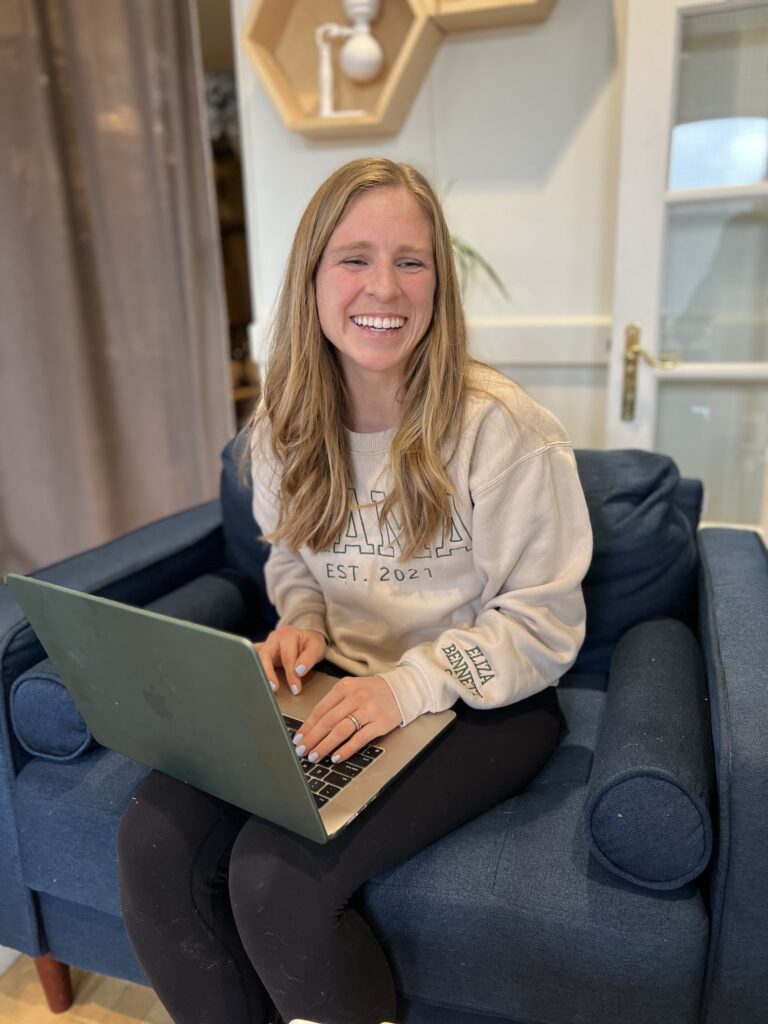
Ex. “Rebekah Read, Squarespace and Showit educator, wearing a MAMA sweater holding her laptop and smiling”
Brittany Herzberg taught me a handy trick if you have a screenshot on your website. The alt text would be “screenshot”, but under the image you can have the caption explaining what is in the image.
HACK 3: Update the SEO Image Title
Did you know Showit automatically pulls an SEO title for your images? While this is helpful, it’s often generic. You can (and should) go the extra mile by customizing this field to be more descriptive and SEO-friendly.
For instance, instead of a generic title like “image1,” update it to something like “Fine Art Wedding Photography in Napa Valley.” This not only makes your images more searchable but also strengthens the overall SEO of your Showit website.

Ex. “Rebekah-Read-Showit-Designer” is the SEO Title
READ MORE: Does Showit Suck for SEO?
Another Helpful Tip for Optimizing Your Photos for Search Engines on Showit
Resize your images (you can use something like tinypng or compress it on your computer).
Want More Help with Showit SEO?
Optimizing images is just one piece of the puzzle when it comes to getting your website to rank on Google. If you’re ready to take your SEO to the next level, here are two resources to help you crush your goals:
- Grab My Free SEO Checklist
This checklist works for any website platform (including Showit) and gives you actionable steps to boost your SEO. From keywords to site structure, I’ll walk you through everything you need to start ranking higher on Google. - Join My 3-Day SEO Bootcamp
If you’re ready for more hands-on guidance, my 3-day SEO video challenge is for you. Each day, you’ll tackle a different SEO task—like keyword research, on-page optimization, and implementation. By the end of the challenge, you’ll have made meaningful changes to your website that will help you stand out online.
The Bottom Line:
SEO doesn’t have to be complicated or scary, especially when you break it down into bite-sized steps. These three simple hacks for optimizing images on your Showit photography website are an easy way to start improving your search rankings and driving more traffic to your site.
Remember, done is better than perfect. Start with these tips, and you’ll be well on your way to creating a high-ranking Showit website that gets you noticed!
Let me know if these tips helped—and if you have questions, drop them in the comments! Or, grab my free resources and let’s get your website ranking where it belongs: at the top of Google. 🎉
RESOURCES
Get a free month of Showit – Code “bekah”
Try Flodesk (my fave email marketing platform) for 50% off the first year
Take Sarah’s Showit SEO Course (and get $50-$100 off using code BEKAH)
An Overview of Showit + Resources you need to Launch your Site
Pin this blog if it was helpful!
I’ve got messy hair and a thirsty heart.
I overshare my life, and have an ultra-expressive personality. Some words people use to describe me are: helpful, real, fun, creative, authentic, and kind.
Elphaba from Wicked is kind of my alter-ego (I was a fan LONG before the movie-adaptation - anyone else?!). I am always trying to forge my own path and make a difference in the World, somehow, someway, while also constantly criticizing myself and trying to become the better version of me.
Quality conversations + coffee come easy to me.
I’ve never had an issue connecting naturally with others (probs because I can go on and on about my life story, not that it is interesting, I just process externally...)

I find so much joy in helping and serving others and I give myself fully to whatever it is that engages me, whether that is running a 50k or creating a website in a day.


